Introduction
In today’s digital business environment, enterprise networks are the backbone of communication, cloud connectivity, cybersecurity, and business operations. Every minute of network downtime can disrupt productivity, delay customer services, impact revenue, and damage an organization’s reputation. Whether it’s a data center, corporate office, manufacturing facility, or healthcare institution, maintaining continuous network availability is critical.
Enterprise network downtime is often caused by hardware failures, configuration errors, cybersecurity threats, aging infrastructure, or inadequate maintenance. While unexpected outages cannot always be eliminated, they can be significantly reduced through proactive monitoring, preventive maintenance, and expert repair services.
At Avoor Networks Pvt. Ltd., we specialize in enterprise network hardware repair, chip-level diagnostics, preventive maintenance, AMC/CAMC services, and emergency support for leading brands such as Cisco, Juniper, HPE, Dell, Fortinet, Aruba, Netgear, and more. This guide explains the common causes of enterprise network downtime, effective prevention strategies, and the best recovery practices.
What Is Enterprise Network Downtime?
Enterprise network downtime refers to any period when network infrastructure becomes partially or completely unavailable, preventing users, servers, or applications from communicating effectively.
Downtime can affect:
- Corporate LANs
- WAN connectivity
- Data centers
- Internet access
- VPN services
- Cloud applications
- VoIP communication
- Wireless infrastructure
Even a short outage can impact hundreds or thousands of users simultaneously.
Common Causes of Enterprise Network Downtime
1. Network Hardware Failure
One of the most common reasons for downtime is hardware failure.
Typical failures include:
- Switch motherboard failure
- Router power supply damage
- Firewall hardware issues
- Failed network interface modules
- Damaged transceivers
- Cooling fan failure
Aging hardware significantly increases the likelihood of unexpected failures.
2. Power Problems
Power fluctuations can severely damage enterprise networking equipment.
Common issues include:
- Voltage spikes
- Power outages
- UPS failure
- Poor grounding
- SMPS failure
Proper power protection is essential for business continuity.
3. Configuration Errors
Incorrect network configurations often cause outages.
Examples include:
- VLAN misconfiguration
- Routing loop
- Incorrect ACL rules
- Firewall policy errors
- IP conflicts
- Firmware incompatibility
Configuration changes should always follow documented change management procedures.
4. Cybersecurity Attacks
Cyber threats continue to be a major cause of enterprise downtime.
Common attacks include:
- Ransomware
- DDoS attacks
- Malware
- Unauthorized access
- Network intrusion
Strong firewall policies and continuous monitoring reduce these risks.
5. Environmental Conditions
Networking hardware performs best under controlled conditions.
Environmental risks include:
- High temperature
- Dust accumulation
- Moisture
- Poor ventilation
- Water leakage
Routine inspection helps prevent environmental damage.
Business Impact of Enterprise Network Downtime
Enterprise downtime affects every department.
Major consequences include:
- Productivity loss
- Interrupted customer service
- Delayed business operations
- Financial losses
- Data access issues
- Cloud service disruption
- Compliance concerns
- Brand reputation damage
For organizations operating 24/7, even a few minutes of downtime can become extremely expensive.
How to Prevent Enterprise Network Downtime
Schedule Preventive Maintenance
Routine maintenance identifies potential issues before they become critical failures.
Preventive maintenance includes:
- Hardware inspection
- PCB diagnostics
- Power supply testing
- Firmware updates
- Fan cleaning
- Port testing
Regular servicing extends equipment lifespan.
Monitor Network Performance
Continuous monitoring helps detect:
- High CPU utilization
- Memory usage
- Port errors
- Packet loss
- Link failures
- Temperature alerts
Early detection prevents major outages.
Maintain Hardware Redundancy
Redundant infrastructure improves network availability.
Examples include:
- Dual power supplies
- Redundant switches
- Backup firewalls
- High Availability (HA)
- Multiple ISP links
Redundancy minimizes service interruption.
Keep Firmware Updated
Updated firmware provides:
- Security improvements
- Bug fixes
- Better stability
- Improved compatibility
Always verify compatibility before deployment.
Replace Aging Hardware
Older equipment becomes increasingly unreliable.
Replace hardware showing:
- Frequent rebooting
- Overheating
- Port failures
- Memory issues
- Repeated hardware alarms
Timely replacement reduces long-term downtime.
Enterprise Network Recovery Best Practices
When downtime occurs, structured recovery is essential.
Step 1: Identify the Root Cause
Avoid guessing.
Analyze:
- Logs
- LEDs
- Console output
- Network monitoring tools
- Hardware diagnostics
Accurate diagnosis speeds recovery.
Step 2: Isolate the Problem
Determine whether the issue is:
- Router
- Switch
- Firewall
- Power
- Cabling
- ISP
- Configuration
Isolation prevents unnecessary service disruption.
Step 3: Repair or Replace Hardware
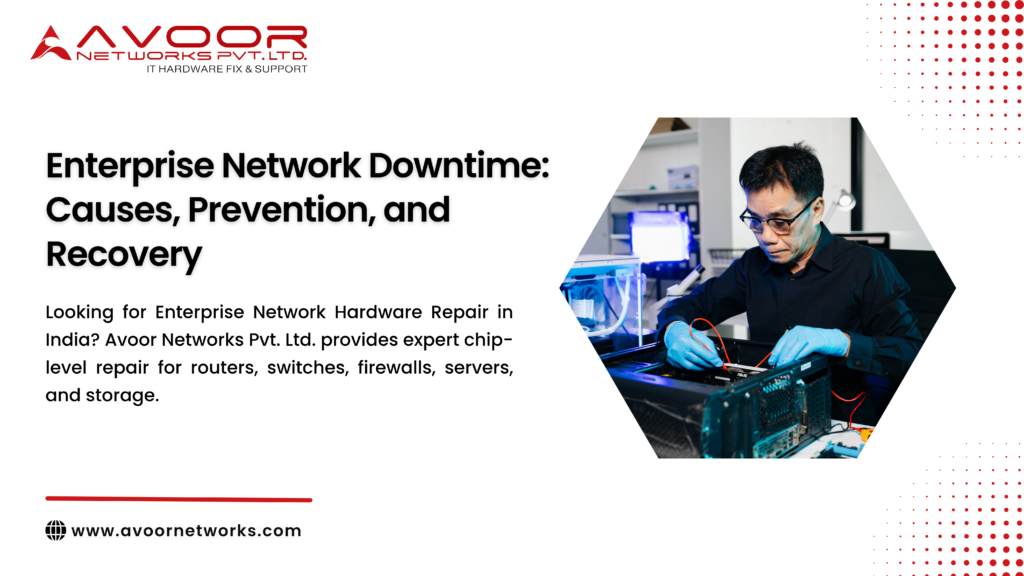
Where possible, professional PCB-level repair restores enterprise hardware at significantly lower cost than replacement.
Professional repair includes:
- Component replacement
- BGA rework
- Power circuit repair
- Port restoration
- Board-level diagnostics
Step 4: Validate Network Performance
After recovery:
- Test connectivity
- Verify routing
- Check VLANs
- Validate firewall policies
- Monitor stability
- Test redundancy
Only return production traffic after complete validation.
Benefits of Professional Network Hardware Maintenance
Organizations that implement structured maintenance experience:
- Reduced downtime
- Faster incident resolution
- Lower repair costs
- Longer hardware lifespan
- Better security
- Higher productivity
- Improved business continuity
- Better ROI on networking equipment
Why Choose Avoor Networks Pvt. Ltd.?
Avoor Networks Pvt. Ltd. is one of India’s leading specialists in enterprise network hardware repair and maintenance with 26+ years of industry experience.
Our services include:
- Cisco Router Repair
- Cisco Switch Repair
- Firewall Repair Services
- Server Motherboard Repair
- Storage Hardware Repair
- PCB-Level Chip Repair
- Enterprise Network AMC & CAMC
- Data Center Network Support
- Refurbished Network Hardware Sales
- Network Hardware Rental & Leasing
- Emergency Network Recovery Support
- PAN India Pickup and Delivery
We support major enterprise networking brands, including Cisco, Juniper, HPE, Dell, Fortinet, Aruba, Extreme Networks, Netgear, IBM, Palo Alto Networks, Avaya, and many more.
Conclusion
Enterprise network downtime can significantly impact productivity, customer satisfaction, and business revenue. While hardware failures, configuration errors, cyber threats, and environmental factors are common causes, proactive maintenance and professional support can dramatically reduce these risks.
By implementing preventive maintenance, continuous monitoring, hardware redundancy, and structured recovery procedures, organizations can maintain reliable and secure network infrastructure.
Avoor Networks Pvt. Ltd. provides comprehensive enterprise networking solutions, from chip-level hardware repair and preventive maintenance to emergency recovery and AMC/CAMC services, helping businesses minimize downtime and maximize network reliability.