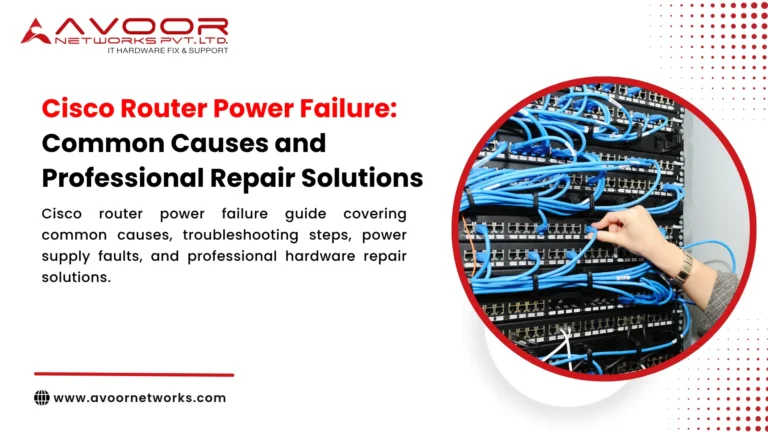
A Cisco router power failure can interrupt internet connectivity, branch office communications, VPN access, and critical business applications. When a router suddenly shuts down, fails to start, or repeatedly restarts, IT teams need to identify whether the problem originates from the power supply, electrical input, cooling system, or internal hardware.
Not every power failure means the router itself is damaged. Faulty power cables, unstable electrical supply, incorrect power connections, and environmental problems can produce similar symptoms. A structured diagnosis helps prevent unnecessary hardware replacement and supports faster recovery.
This guide explains common Cisco router power failure causes, troubleshooting steps, professional repair options, and preventive maintenance practices for enterprise IT infrastructure teams.
Common Symptoms of Cisco Router Power Failure
Cisco routers may show different symptoms depending on the affected component and model.
1. Router Does Not Power On
The router remains completely unresponsive when connected to power. Possible causes include:
- Failed or incompatible power supply
- Faulty power cable or electrical outlet
- Damaged power connector
- Internal power circuitry failure
- Electrical damage following a power surge
- Cisco router power failure
Begin by checking the external power source and the router’s power indicators. If the device remains unresponsive after basic checks, further hardware diagnosis may be required.
2. Router Powers On but Immediately Shuts Down
A router that starts briefly and then switches off may have a power delivery problem, overheating condition, or internal hardware fault.
Possible causes include a failing power supply, insufficient or unstable input power, cooling failure, or a protective shutdown triggered by abnormal conditions.
Record the sequence of events, including indicator changes, startup messages, and any available system logs.
3. Repeated Reboots or Power Cycling
Repeated restarts can indicate unstable power, a faulty power supply, overheating, or a software or hardware problem during startup.
Check whether the restarts occur after a power interruption, configuration change, software update, or increase in temperature. A router that repeatedly restarts should not be assumed to have a defective power supply without further evidence.
4. Power Supply Warning Indicators
Some Cisco router models provide power supply status indicators that help identify abnormal conditions.
Depending on the model, an indicator may signal a power supply failure, missing input power, an electrical condition outside the supported range, or a thermal problem.
Important: Indicator meanings and diagnostic procedures vary by Cisco router platform. Consult the specific model’s hardware installation and maintenance documentation before interpreting an LED or attempting a component replacement.
Common Causes of Cisco Router Power Failure
1. Faulty Power Supply
A failed power supply is one possible cause of a router that does not start or cannot maintain stable operation.
Power supply faults may develop because of component deterioration, electrical stress, overheating, or internal damage.
Recommended checks:
- Review the power supply status indicators.
- Check whether the power supply is recognized by the router.
- Inspect the power cable and external connections.
- Confirm that the power supply is compatible with the exact router model.
- Cisco router power failure
If the power supply is confirmed faulty, replacement with a compatible component may be appropriate. Follow the manufacturer’s service instructions.
2. Unstable Electrical Input
An unstable electrical source can cause unexpected shutdowns, startup failures, or repeated restarts.
Possible contributing factors include power fluctuations, faulty electrical outlets, damaged cables, or problems with the rack’s power distribution unit.
IT teams should verify the input power source and consult qualified electrical personnel if the supply is suspected to be unsafe or outside the equipment’s requirements.
Do not continue operating a router with suspected electrical damage.
3. Power Connector or Internal Power Circuit Damage
A damaged power connector or internal power circuit may prevent the router from receiving or distributing power correctly.
This type of fault may require inspection by a qualified hardware technician. Depending on the router design, repair may involve a replaceable component, connector repair, or assessment of the internal printed circuit board (PCB).
4. Overheating and Cooling Problems
Power-related shutdowns may occur when a router reaches an abnormal temperature or detects a cooling problem.
Potential causes include:
- Blocked airflow
- Failed cooling fans
- Dust accumulation
- High equipment-room temperature
- Obstructed rack ventilation
- Cisco router power failure
Check temperature and fan alerts, maintain airflow, and follow the manufacturer’s environmental requirements.
5. Power Surge or Electrical Damage
Electrical surges or severe power events can damage power supplies, connectors, or internal circuits.
If a router fails immediately after an electrical event, record the circumstances and arrange a hardware inspection. Avoid repeatedly connecting the device to power if there are signs of electrical damage, burning, or unusual heat.
Cisco Router Power Failure Troubleshooting Steps
Follow a systematic process to identify the likely cause while protecting the equipment and production network.
Step 1: Record the Router Details
Document the exact model, product ID, serial number, reported symptoms, and the time the problem started.
Record any power supply alerts, indicator states, or startup messages. This information helps determine which diagnostic procedures apply to the device.
Step 2: Check the External Power Source
Verify that the power cable is securely connected and that the electrical source is working.
Where safe and appropriate, test the cable and outlet using known-good compatible equipment. Do not use damaged cables or attempt electrical repairs yourself.
Step 3: Review Power Supply Indicators
Check the power supply status and any available hardware health information.
Compare the indicator state with the documentation for the exact Cisco router model. Do not assume that an LED color or blinking pattern has the same meaning across all Cisco platforms.
Step 4: Inspect Cooling and Environment
Check for blocked vents, fan alerts, dust buildup, and abnormal temperature conditions.
If the router has shut down because of overheating, identify and address the cooling problem before attempting to return it to service.
Step 5: Review Logs and Startup Messages
If the router starts far enough to provide system information, capture relevant logs and diagnostic messages.
Look for power-related events, unexpected restarts, hardware alerts, or boot failures. Follow Cisco’s model-specific troubleshooting guidance.
Step 6: Check Redundant Power Arrangements
Some router platforms support redundant power supplies. If the router remains operational with one supply reporting a fault, confirm the status of the remaining supply and the system’s available power capacity.
Do not assume that redundancy makes the router safe to operate indefinitely with a failed component.
Step 7: Arrange Professional Hardware Diagnosis
If the router remains unresponsive or repeatedly shuts down after external power, cooling, and other basic checks, arrange a qualified hardware assessment.
Avoid opening the appliance, probing live electrical circuits, or repeatedly removing and reinserting power supplies without confirming that the model supports the procedure and that the required safety precautions are in place.
Professional Cisco Router Power Repair Solutions
The repair method depends on the confirmed fault, router model, component availability, and service requirements.
Power Supply Replacement
If diagnostics confirm that a replaceable power supply has failed, a compatible replacement may restore operation.
The replacement must match the router’s supported hardware requirements. Incorrect power supply selection can create additional faults or prevent the device from starting.
Power Connector Repair
A damaged connector may require specialist inspection and repair. The service provider should confirm whether the connector is replaceable or integrated into a larger assembly.
Internal Power Circuit and PCB Repair
If the fault originates in the router’s internal power circuitry, a qualified repair provider may assess component-level repair.
This may involve diagnosing damaged circuit components, checking power delivery, and determining whether repair is feasible. Not every board-level fault can be repaired economically or safely.
Router Replacement
Replacement may be the practical choice when internal damage is extensive, compatible parts are unavailable, faults recur, or repair costs are disproportionate to the device’s value.
For end-of-life routers, hardware repair does not restore OEM software updates, security patches, or vendor support. IT teams should assess the security and lifecycle implications before continuing to operate legacy equipment.
Preventive Maintenance to Reduce Cisco Router Power Failures
Preventive maintenance helps IT teams identify power-related problems before they become major outages.
Consider the following practices:
- Inspect power supply indicators during scheduled maintenance.
- Monitor recurring power and temperature alerts.
- Maintain suitable rack airflow and equipment-room conditions.
- Inspect power cables and connectors for visible damage.
- Check the health of redundant power supplies.
- Maintain secure configuration backups and recovery procedures.
- Document power failures, repairs, and recurring symptoms.
- Review spare power supply availability for critical devices.
- Plan replacement for equipment with unacceptable support or security risks.
Maintenance activities should follow the manufacturer’s documentation and your organization’s change-control procedures.
How Avoor Networks Pvt Ltd Supports Cisco Router Repair
Avoor Networks Pvt Ltd provides multi-brand enterprise network hardware repair and maintenance services, including Cisco router hardware assessment, power-related fault diagnosis, component-level repair where feasible, and spare-parts support.
The company supports enterprise IT teams and system integrators with PAN-India pickup and delivery. Repair feasibility depends on the router model, the confirmed fault, and the availability of compatible parts.
When requesting an assessment, provide the router model, serial number, power failure symptoms, indicator status, and relevant diagnostic information.
Conclusion
A Cisco router power failure may originate from a faulty power supply, unstable electrical input, connector damage, overheating, or an internal hardware fault.
Start with safe external power checks, review the model-specific power indicators, inspect cooling conditions, and record diagnostic messages. If the router remains unresponsive or unstable, arrange professional hardware diagnosis before replacing components.
A structured maintenance and repair process helps IT infrastructure teams make informed decisions, protect production systems, and plan hardware replacement when necessary.