Introduction
The Cisco Catalyst 9000 Series is one of the most widely deployed enterprise switching platforms, powering modern campus networks, branch offices, educational institutions, healthcare organizations, manufacturing facilities, and data centers. Designed with advanced security, automation, and high-performance capabilities, Catalyst 9000 switches deliver reliable connectivity for mission-critical business operations.
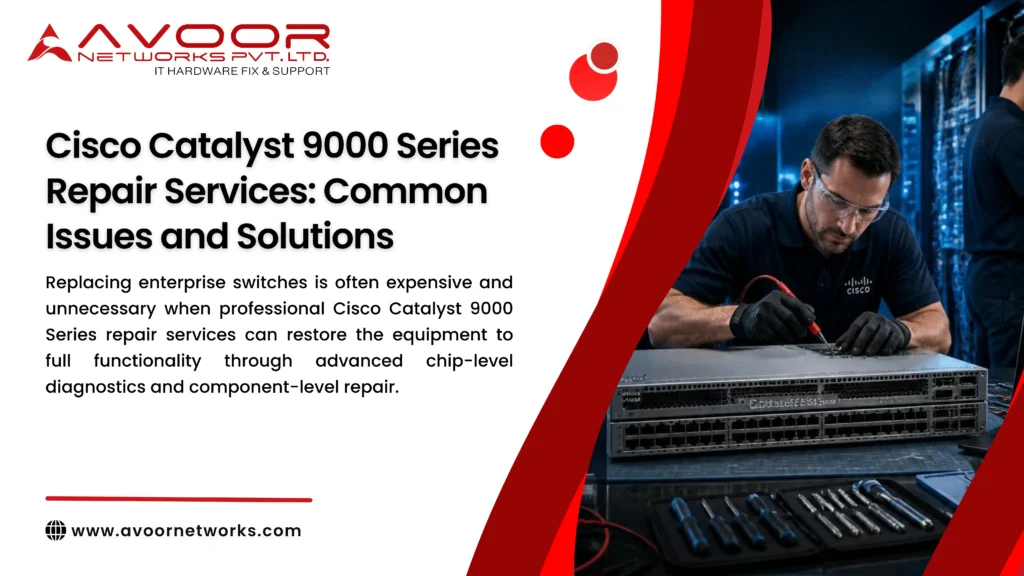
However, continuous operation, environmental conditions, electrical fluctuations, aging components, and improper handling can lead to hardware failures over time. Replacing enterprise switches is often expensive and unnecessary when professional Cisco Catalyst 9000 Series repair services can restore the equipment to full functionality through advanced chip-level diagnostics and component-level repair.
At Avoor Networks Pvt. Ltd., we have over 26+ years of experience in enterprise network hardware repair, specializing in Cisco switches, routers, firewalls, servers, and data center networking equipment. This guide explains the most common Cisco Catalyst 9000 Series Repair Services: 7 Essential Solutions for Common Hardware Issues hardware issues, their causes, and effective repair solutions.
What Is the Cisco Catalyst 9000 Series Repair Services?
The Cisco Catalyst 9000 Series includes enterprise-grade managed switches built for high-performance campus and branch networking.
Popular models include:
- Cisco Catalyst 9200 Series
- Cisco Catalyst 9300 Series
- Cisco Catalyst 9400 Series
- Cisco Catalyst 9500 Series
- Cisco Catalyst 9600 Series
These switches support advanced Layer 2 and Layer 3 networking, software-defined access (SD-Access), enhanced security, high-speed uplinks, Power over Ethernet (PoE), and cloud-based management.
Common Cisco Catalyst 9000 Series Hardware Issues
1. Switch Not Powering On
One of the most common hardware failures is a switch that does not power on.
Possible Causes
- Failed power supply
- Burnt MOSFETs
- Damaged voltage regulators
- Faulty PCB components
- Internal short circuit
- Electrical surge damage
Professional Repair Solution
- Power circuit diagnostics
- Component-level PCB repair
- MOSFET replacement
- Capacitor replacement
- Voltage rail testing
- Functional power verification
Chip-level repair often restores the switch without replacing the entire motherboard.
2. Boot Failure or Continuous Restart
The switch may remain in a reboot loop or fail during startup.
Common Causes
- Corrupted firmware
- Flash memory issues
- Bootloader corruption
- Damaged storage components
- Power instability
Repair Solution
- Firmware recovery
- Bootloader restoration
- Flash memory diagnostics
- Configuration validation
- Stable power verification
3. Ethernet Port Failure
Network ports may stop functioning due to hardware damage.
Symptoms
- Port LED not lighting
- No link detection
- Slow throughput
- Intermittent connectivity
- Frequent disconnections
Causes
- Electrical surge
- Static discharge
- Damaged PHY IC
- Connector damage
- PCB trace failure
Repair Solution
- Port diagnostics
- PHY IC replacement
- Connector repair
- PCB trace restoration
- Complete interface testing
4. Overheating Issues
Excessive operating temperatures reduce hardware reliability.
Causes
- Dust accumulation
- Fan failure
- Blocked airflow
- High ambient temperature
Repair Solution
- Internal cleaning
- Fan replacement
- Thermal inspection
- Cooling system testing
Proper airflow significantly extends switch lifespan.
5. Power over Ethernet (PoE) Failure
PoE ports may fail to power connected devices.
Common Causes
- Damaged PoE controller
- Failed power module
- PCB component damage
- Short circuit
Repair Solution
- PoE controller diagnostics
- Power module repair
- Component replacement
- PoE output verification
Professional Cisco Catalyst 9000 Series Repair Process
Initial Diagnostics
Every repair begins with comprehensive testing, including:
- PCB inspection
- Power rail measurement
- Voltage testing
- Boot diagnostics
- Interface verification
- Thermal analysis
Accurate diagnostics ensure efficient repairs.
Component-Level PCB Repair
Instead of replacing expensive boards, experienced engineers repair:
- ICs
- MOSFETs
- Capacitors
- Voltage regulators
- Ethernet controllers
- Memory components
This approach significantly reduces repair costs.
Firmware Recovery
Professional repair also includes:
- Firmware restoration
- Bootloader recovery
- Configuration verification
- Software validation
Stable firmware is essential for reliable network performance.
Functional and Burn-In Testing
Before delivery, repaired switches undergo:
- Port testing
- PoE testing
- Throughput validation
- Thermal stress testing
- Continuous uptime testing
- Load testing
These tests ensure long-term operational reliability.
Preventive Maintenance Best Practices
To maximize the lifespan of Cisco Catalyst 9000 switches, organizations should:
- Schedule preventive maintenance every 6–12 months.
- Clean dust from vents and cooling fans regularly.
- Monitor switch temperature and fan health.
- Keep Cisco IOS XE firmware updated.
- Protect equipment with quality UPS systems.
- Inspect power supplies for signs of wear.
- Verify PoE performance periodically.
- Maintain organized cable management.
- Monitor switch logs and hardware alerts.
- Keep detailed maintenance records.
A proactive maintenance strategy minimizes unexpected downtime.
Benefits of Professional Cisco Catalyst 9000 Series Repair Services
Organizations that choose professional repair benefit from:
- Reduced replacement costs
- Faster turnaround times
- Extended equipment lifespan
- Reduced electronic waste
- Improved network reliability
- Lower operational expenses
- Increased return on infrastructure investment
- Business continuity with minimal downtime
Repairing enterprise switches is often a cost-effective alternative to purchasing new hardware.
Why Choose Avoor Networks Pvt. Ltd.?
Avoor Networks Pvt. Ltd. is one of India’s trusted providers of enterprise network hardware repair services with over 26+ years of industry experience.
Our Cisco services include:
- Cisco Catalyst Switch Repair
- Cisco Router Repair
- Cisco Firewall Repair
- Cisco Nexus Switch Repair
- Cisco UCS Server Repair
- PCB-Level Chip Repair
- Power Supply Repair
- PoE Module Repair
- Firmware Recovery
- Annual Maintenance Contracts (AMC)
- Comprehensive Annual Maintenance Contracts (CAMC)
- Refurbished Cisco Hardware Sales
- Network Hardware Rental & Leasing
- PAN India Pickup & Delivery
Our experienced engineers use advanced diagnostic equipment and OEM-grade repair procedures to restore Cisco Catalyst 9000 Series switches to optimal working condition.
Conclusion
The Cisco Catalyst 9000 Series is a vital component of modern enterprise networks, and maintaining its reliability is essential for uninterrupted business operations. Common issues such as power failures, boot problems, Ethernet port damage, overheating, and PoE faults can often be resolved through professional component-level repair rather than costly replacement.
By investing in Cisco Catalyst 9000 Series repair services, preventive maintenance, and expert diagnostics, organizations can extend hardware lifespan, reduce downtime, and maximize the value of their networking infrastructure.
Partner with Avoor Networks Pvt. Ltd. for dependable Cisco repair solutions, expert technical support, and nationwide service designed to keep your enterprise network running at peak performance.