Introduction
Modern businesses depend on reliable network infrastructure to operate applications, communicate with customers, access cloud platforms, connect data centers, and maintain daily operations. A sudden failure of a core switch, router, firewall, server, or storage device can interrupt these services and create immediate operational and financial consequences.
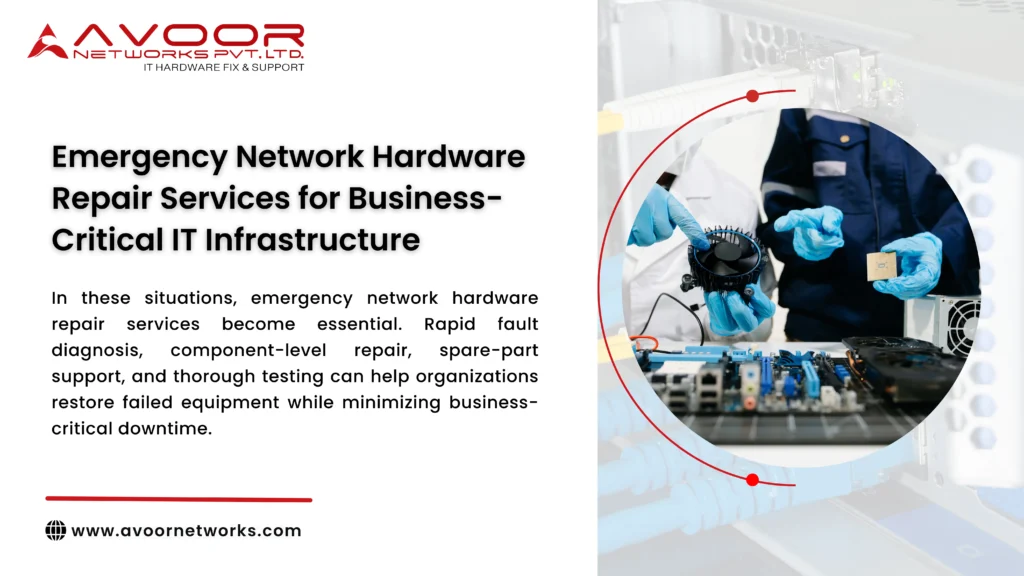
In these situations, emergency network hardware repair services become essential. Rapid fault diagnosis, component-level repair, spare-part support, and thorough testing can help organizations restore failed equipment while minimizing business-critical downtime.
At Avoor Networks Pvt Ltd, we provide enterprise network hardware repair services for routers, switches, firewalls, servers, storage systems, and other networking equipment. With 26+ years of industry experience, our capabilities include chip-level PCB repair, preventive maintenance, AMC and CAMC support, legacy hardware support, refurbished equipment, and PAN-India pickup and delivery.
This guide explains common emergency hardware failures, how professional repair works, and the steps businesses can take to improve recovery.
What Are Emergency Network Hardware Repair Services?
Emergency network hardware repair focuses on diagnosing and restoring failed IT infrastructure when equipment problems threaten business continuity.
Typical equipment includes:
- Enterprise routers
- Network switches
- Firewalls
- Servers
- Storage systems
- Wireless controllers
- Network modules
- Power supply units
- Interface cards
- Other enterprise networking appliances
The objective is not simply to make the equipment power on. Professional repair should identify the root cause, correct the fault, test the affected functions, and verify stable operation.
Common Network Hardware Emergencies
1. Router Failure
Enterprise routers provide connectivity between locations, WAN links, internet services, and other networks.
Common router problems include:
- No power
- Continuous rebooting
- Boot failure
- Interface failure
- Power supply problems
- Hardware alarms
Failure of a critical router can affect connectivity across an entire location.
2. Enterprise Switch Failure
Core and distribution switches carry large amounts of business traffic.
Typical switch problems include:
- Dead Ethernet ports
- PoE failure
- Switch not powering on
- Boot loop
- Overheating
- Power supply failure
- Interface instability
Rapid diagnosis is particularly important when redundant switching infrastructure is unavailable.
3. Firewall Hardware Failure
A firewall failure can interrupt secure network access and affect internet-facing services.
Possible problems include:
- PSU failure
- Storage failure
- Interface damage
- Cooling issues
- Motherboard faults
- Unexpected shutdowns
Organizations should maintain appropriate high-availability architecture for security-critical infrastructure.
4. Server and Storage Hardware Failure
Servers and storage systems can develop faults involving:
- Motherboards
- Power supplies
- Storage controllers
- Network interfaces
- Cooling systems
- Electronic components
Fast hardware recovery can be important when these systems support production applications or critical business data.
5. Power Supply Failure
PSU faults are common across networking devices.
Failures may be caused by:
- Voltage fluctuations
- Electrical surges
- Overheating
- Aging capacitors
- MOSFET failure
- Cooling fan problems
- Internal short circuits
Power circuit diagnostics can determine whether the PSU itself or the device motherboard is responsible.
7 Critical Steps in Emergency Network Hardware Repair Services
1. Rapid Fault Assessment
The first priority is determining the scope of the incident.
Engineers should identify:
- Which equipment failed
- Symptoms reported
- When the failure started
- Whether redundant equipment is available
- Whether power or environmental conditions changed
- Whether configuration or firmware changes occurred
Accurate initial information helps reduce troubleshooting time.
2. Isolate the Failed Hardware
A hardware fault must be separated from network, configuration,emergency network hardware repair services cabling, software, and upstream power problems.
Diagnostics may include:
- Power testing
- Console checks
- Interface testing
- Error-log review
- PCB inspection
- Voltage measurements
- Thermal inspection
Correct isolation prevents unnecessary replacement of functional components.
3. Perform Chip-Level Diagnostics
When the fault is located on the PCB, advanced diagnostics can identify defective electronic components.
Potential faults include:
- Shorted MOSFETs
- Failed ICs
- Damaged capacitors
- Faulty voltage regulators
- Broken PCB traces
- Power management circuit failures
- Ethernet interface faults
Chip-level diagnosis can be particularly valuable when complete replacement boards are expensive or unavailable.
4. Repair or Replace the Failed Component
Once the root cause is confirmed, the appropriate repair strategy can be selected.
Component-level repair may involve:
- IC replacement
- MOSFET replacement
- Capacitor replacement
- Connector restoration
- Power circuit repair
- PCB trace repair
- Interface circuit restoration
If the board is extensively damaged or repair is uneconomical, a tested replacement or refurbished unit may be a better recovery option.
5. Test the Repaired Equipment
A device that powers on is not automatically ready for production.
Testing should be appropriate to the equipment and fault and may include:
- Startup and reboot testing
- Interface testing
- Power stability checks
- Thermal monitoring
- Throughput verification
- PoE testing
- Load testing
- Burn-in testing
This helps identify intermittent problems emergency network hardware repair services before equipment is returned to the business.
6. Restore Network Operations Carefully
After repair, the equipment should be reintegrated into the infrastructure using a controlled process.
IT teams should verify:
- Network connectivity
- Routing
- VLAN operation
- Interface status
- Firewall policies where relevant
- Redundancy
- Application accessibility
Monitoring should continue after restoration to detect abnormal behavior.
7. Conduct Root-Cause and Prevention Review
Emergency repair should not end when connectivity returns.
Determine why the failure occurred and whether similar equipment is at risk.
Review factors such as:
- Power quality
- Rack temperature
- Cooling
- Dust accumulation
- Equipment age
- Component wear
- Maintenance history
This turns an emergency incident into an opportunity to prevent recurrence.
How Emergency Hardware Repair Reduces Business Downtime
Professional emergency network hardware repair services can support faster recovery by combining technical diagnosis with repair and replacement options.
Potential benefits include:
- Faster identification of hardware faults
- Reduced unnecessary hardware replacement
- Restoration of repairable equipment
- Support for discontinued devices
- Lower emergency capital expenditure
- Improved business continuity
The strongest downtime strategy combines professional repair with redundant architecture, monitoring, tested backups, and spare hardware.
Emergency Repair vs Complete Hardware Replacement
| Factor | Emergency Repair | Hardware Replacement |
|---|---|---|
| Initial Cost | Often lower | Usually higher |
| Existing Hardware | Restored | Replaced |
| Configuration Impact | Can be minimal | May require migration |
| Legacy Equipment | Repair may extend life | Replacement may require redesign |
| E-Waste | Lower | Higher |
| Best Use | Repairable hardware fault | Severe damage, obsolescence or repeated failures |
Neither approach is always correct. The decision should consider hardware condition, criticality, cybersecurity support, replacement availability, and expected remaining service life.
Preparing Before a Network Hardware Emergency
Businesses should prepare for hardware failures before they happen.
A practical recovery strategy includes:
- Maintaining updated network diagrams
- Backing up device configurations
- Monitoring hardware health
- Keeping critical spare PSUs and modules
- Maintaining tested standby equipment
- Implementing redundant network paths
- Documenting escalation procedures
- Scheduling preventive maintenance
- Maintaining service-provider contacts
- Tracking hardware lifecycle status
Preparation can significantly reduce the operational impact of unexpected failures.
Importance of AMC and CAMC Support
Organizations with large or business-critical network environments can benefit from structured AMC and CAMC arrangements.
Depending on the contract, support may include:
- Preventive maintenance
- Priority breakdown assistance
- Hardware diagnostics
- Repair coordination
- Spare-part support
- Maintenance documentation
This helps organizations move from unpredictable reactive maintenance toward a structured support model.
Supporting EOL and Legacy Network Equipment
Emergency failures become more difficult when hardware has reached End-of-Life and OEM spares are limited.
Third-party repair options may include:
- Chip-level PCB repair
- Power supply repair
- Port restoration
- Refurbished replacement hardware
- Legacy spare-part sourcing
However, hardware repair does not restore discontinued manufacturer software, security updates, or official support. Critical legacy equipment should therefore be included in a planned migration strategy.
Why Choose Avoor Networks Pvt Ltd?
Avoor Networks Pvt Ltd provides multi-brand enterprise network hardware repair and maintenance services across India.
Our services include:
- Emergency Network Hardware Repair
- Cisco Router Repair
- Cisco Switch Repair
- Firewall Repair Services
- Server Hardware Repair
- Storage Hardware Repair
- Chip-Level PCB Repair
- Power Supply Repair
- EOL Network Hardware Support
- Network Hardware Spare Parts Support
- AMC and CAMC Services
- Refurbished Network Hardware
- Rental and Leasing Solutions
- PAN-India Pickup and Delivery
We support equipment from Cisco, Juniper, HPE, Dell, Fortinet, Aruba, Palo Alto Networks, Extreme Networks, IBM, NetApp, Avaya, Netgear, and other enterprise brands.
Our approach focuses on accurate diagnosis, component-level repair where technically appropriate, thorough functional testing, and practical recovery options for business-critical infrastructure.
Conclusion
Network hardware failures can happen without warning, but their impact can be controlled through preparation, redundancy, professional diagnostics, and a structured recovery process.
Emergency network hardware repair services help organizations address failures involving switches, routers, firewalls, servers, storage systems, power supplies, and other critical infrastructure without automatically replacing expensive equipment.
By combining chip-level repair, tested spares, preventive maintenance, AMC/CAMC support, monitoring, and lifecycle planning, businesses can build a more resilient network infrastructure.
Avoor Networks Pvt Ltd helps organizations across India diagnose and repair enterprise networking equipment while focusing on reducing downtime, extending hardware life, and maintaining business continuity.