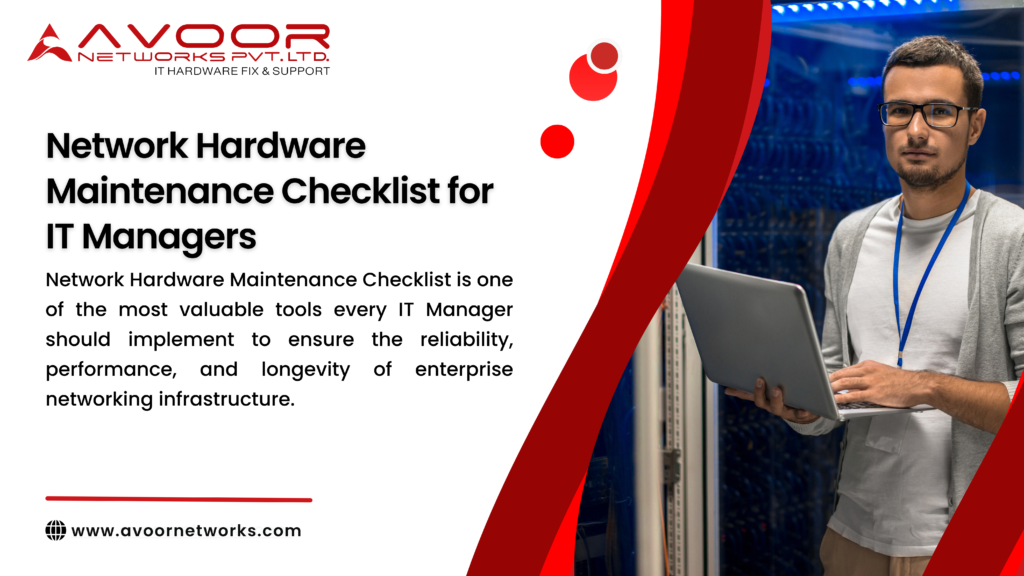
Network Hardware Maintenance Checklist is one of the most valuable tools every IT Manager should implement to ensure the reliability, performance, and longevity of enterprise networking infrastructure. Modern businesses rely heavily on routers, switches, firewalls, servers, storage systems, and wireless devices to support daily operations. Without regular maintenance, these critical assets can experience unexpected failures, increased downtime, reduced performance, and costly repairs.
A structured Network Hardware Maintenance Checklist helps organizations detect potential issues before they become major problems, minimizes operational disruptions, improves network security, and extends the lifespan of expensive networking equipment.
At Avoor Networks Pvt. Ltd., we have more than 26 years of experience providing enterprise network hardware repair, preventive maintenance, Annual Maintenance Contracts (AMC), Comprehensive Annual Maintenance Contracts (CAMC), refurbished networking equipment, and chip-level repair services across India. This guide provides IT Managers with a practical checklist to maintain a healthy and reliable network infrastructure.
Table of Contents
- Why Network Hardware Maintenance Matters
- Benefits of Following a Maintenance Checklist
- Daily Maintenance Tasks
- Weekly Maintenance Tasks
- Monthly Maintenance Tasks
- Quarterly Maintenance Tasks
- Annual Maintenance Checklist
- Common Warning Signs of Hardware Failure
- Best Practices for IT Managers
- Why Choose Avoor Networks Pvt. Ltd.
- Frequently Asked Questions
- Conclusion
Why Network Hardware Maintenance Matters
A preventive Network Hardware Maintenance Checklist ensures enterprise networking devices continue operating efficiently and securely. Routine inspections help identify failing components, overheating issues, firmware vulnerabilities, power supply problems, and network performance bottlenecks before they impact business operations.
Proper maintenance reduces unplanned downtime, improves productivity, and lowers long-term IT costs by preventing expensive hardware failures.
Benefits of Following a Network Hardware Maintenance Checklist
Implementing a scheduled maintenance program offers several advantages.
Reduce Unexpected Downtime
Routine inspections help identify potential failures before they interrupt business operations.
Extend Hardware Lifespan
Proper cleaning, cooling, and preventive servicing significantly increase the operational life of networking equipment.
Improve Network Performance
Maintained devices deliver better throughput, lower latency, and consistent network connectivity.
Enhance Security
Regular firmware updates and configuration reviews help protect enterprise networks from security vulnerabilities.
Lower Maintenance Costs
Preventive maintenance is considerably less expensive than emergency hardware replacement.
Daily Network Hardware Maintenance Checklist
Every IT Manager should complete these quick daily checks.
- Verify router, switch, and firewall status.
- Check system LEDs for warning indicators.
- Monitor CPU and memory utilization.
- Review system logs for hardware errors.
- Confirm network connectivity.
- Monitor internet and WAN performance.
- Verify backup completion.
- Check UPS status and power availability.
Weekly Network Hardware Maintenance Checklist
Weekly inspections help detect developing hardware problems.
Inspect Physical Equipment
Check for dust accumulation, loose cables, damaged ports, and unusual noise from cooling fans.
Review Network Performance
Analyze bandwidth usage, packet loss, latency, and interface utilization.
Verify Configuration Backups
Ensure the latest configuration files are backed up securely.
Test Redundant Links
Confirm failover links and backup network paths are functioning correctly.
Monthly Network Hardware Maintenance Checklist
Monthly maintenance provides deeper system health verification.
Update Firmware
Install stable firmware updates recommended by equipment manufacturers.
Clean Network Equipment
Remove dust from routers, switches, servers, and firewalls using appropriate cleaning methods.
Inspect Power Supplies
Check redundant power supplies, UPS systems, and electrical connections for reliability.
Review Security Settings
Verify firewall rules, user accounts, passwords, and access permissions.
Test Storage Systems
Check storage health, RAID status, and backup integrity.
Quarterly Network Hardware Maintenance Checklist
Quarterly maintenance should include comprehensive inspections.
Perform Hardware Diagnostics
Run built-in diagnostic tests on routers, switches, servers, and storage systems.
Verify Cooling Systems
Inspect fans, air filters, ventilation, and equipment room temperatures.
Check Network Cabling
Inspect Ethernet, fiber optic, and power cables for damage or wear.
Review Network Documentation
Update network diagrams, IP addressing, asset inventories, and maintenance records.
Annual Network Hardware Maintenance Checklist
Annual maintenance should include a complete infrastructure assessment.
- Comprehensive hardware inspection
- Preventive chip-level diagnostics
- Power supply testing
- Motherboard health assessment
- Firmware review
- Performance benchmarking
- Disaster recovery testing
- Asset lifecycle planning
- Hardware replacement evaluation
- Annual preventive maintenance report
Common Warning Signs of Hardware Failure
Recognizing early warning signs helps prevent unexpected failures.
Frequent Network Interruptions
Intermittent connectivity often indicates hardware or interface issues.
Overheating
Excessive temperatures can damage internal components and reduce equipment lifespan.
Failed Network Ports
Inactive Ethernet or fiber ports may require professional repair.
Boot Failures
Repeated rebooting or startup failures often point to motherboard or firmware issues.
Fan Noise or Failure
Abnormal fan operation can result in inadequate cooling and hardware damage.
Best Practices for IT Managers
To maximize network reliability, IT Managers should follow these best practices.
- Maintain an updated hardware inventory.
- Schedule preventive maintenance regularly.
- Monitor equipment temperatures.
- Replace failing fans immediately.
- Keep firmware up to date.
- Document every maintenance activity.
- Test backups regularly.
- Use enterprise-grade surge protection.
- Maintain adequate airflow in server rooms.
- Partner with a professional network hardware service provider.
Why Choose Avoor Networks Pvt. Ltd.?
Organizations across India trust Avoor Networks Pvt. Ltd. for enterprise networking solutions because we offer:
- 26+ Years of Industry Experience
- Advanced Chip-Level Repair
- Multi-Brand Networking Expertise
- Annual Maintenance Contracts (AMC)
- Comprehensive Annual Maintenance Contracts (CAMC)
- Preventive Maintenance Services
- PAN India Pickup and Delivery
- Fast Turnaround Time
- Enterprise Hardware Refurbishment
- Dedicated Technical Support
Frequently Asked Questions
What is a Network Hardware Maintenance Checklist?
A Network Hardware Maintenance Checklist is a structured schedule of preventive tasks that helps IT teams inspect, maintain, and optimize routers, switches, firewalls, servers, storage systems, and other networking devices.
How often should network hardware be maintained?
Basic inspections should be performed daily and weekly, while comprehensive maintenance should be carried out monthly, quarterly, and annually depending on the organization’s infrastructure.
Why is preventive maintenance important?
Preventive maintenance reduces downtime, extends hardware lifespan, improves performance, and lowers repair and replacement costs.
Does Avoor Networks Pvt. Ltd. provide AMC services?
Yes. We provide Annual Maintenance Contracts (AMC), Comprehensive Annual Maintenance Contracts (CAMC), preventive maintenance, emergency repair services, and chip-level diagnostics across India.
Which networking brands do you support?
We support Cisco, Juniper, HPE, HP, Dell, Fortinet, Aruba, Netgear, IBM, Lenovo, Palo Alto Networks, Huawei, Extreme Networks, and many other enterprise networking brands.
Conclusion
A well-planned Network Hardware Maintenance Checklist is essential for every IT Manager responsible for maintaining reliable enterprise networking infrastructure. Regular inspections, preventive servicing, firmware updates, and hardware diagnostics significantly reduce downtime, improve security, and maximize the return on IT investments.
With over 26 years of expertise, Avoor Networks Pvt. Ltd. delivers professional network hardware repair, preventive maintenance, AMC, CAMC, and chip-level repair services for enterprise routers, switches, firewalls, servers, and storage systems across India. Partner with us to keep your network infrastructure operating at peak performance.
Call to Action
Need expert assistance with your Network Hardware Maintenance Checklist?
Contact Avoor Networks Pvt. Ltd. today for preventive maintenance, chip-level repair, AMC and CAMC services, enterprise hardware diagnostics, and nationwide support for all major networking brands.