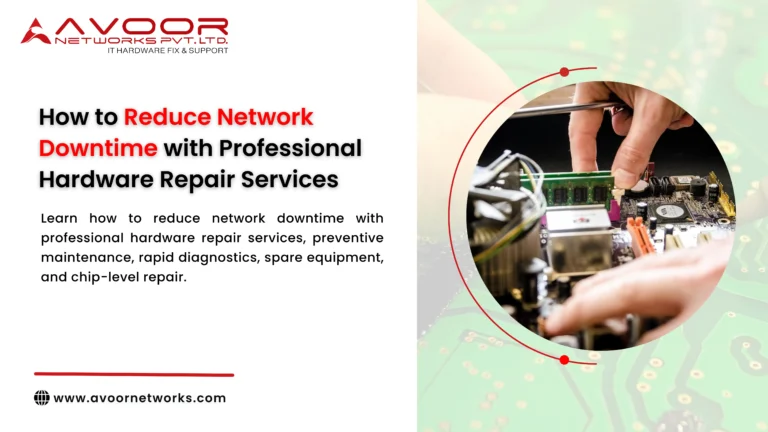
Reduce Network Downtime is a critical priority for businesses that depend on reliable IT infrastructure. A network outage can interrupt communication, stop employees from accessing applications, disrupt customer services, and affect revenue.
Network downtime is not always caused by software or connectivity problems. Hardware failures involving routers, switches, firewalls, servers, storage systems, power supplies, and network modules can also cause serious disruptions.
The challenge for IT Managers is not simply fixing equipment after it fails. A successful strategy combines preventive maintenance, hardware monitoring, professional diagnostics, rapid repair, spare equipment, redundancy, and lifecycle management.
Professional network hardware repair services can help organizations restore failed equipment, extend hardware lifespan, avoid unnecessary replacements, and build a more resilient IT infrastructure.Reduce Network Downtime.
At Avoor Networks Pvt. Ltd., we have more than 26 years of experience in enterprise network hardware repair, chip-level diagnostics, router and switch repair, firewall repair, server and storage repair, EOL hardware support, AMC/CAMC services, refurbished networking equipment, and PAN India support.
This guide explains practical ways businesses can reduce network downtime through professional hardware repair and proactive infrastructure management.
What Is Network Downtime?
Network downtime occurs when users, applications, devices, or business services cannot access the network as expected.
Downtime can be:
- Planned downtime — scheduled maintenance or upgrades.
- Unplanned downtime — unexpected equipment or infrastructure failures.
- Partial downtime — only a particular device, branch, VLAN, or service is affected.
- Complete downtime — critical network services become unavailable.
Even a short outage can create operational problems.
For example, a failed core switch can affect connectivity between servers, storage, firewalls, and users. A failed router can disconnect a branch office. A firewall hardware failure can interrupt both internet connectivity and security controls.
This is why businesses need a proactive strategy to reduce network downtime rather than simply reacting to failures.
Why Network Hardware Failures Cause Downtime
Enterprise hardware operates continuously and may be exposed to:
- Heat
- Dust
- Electrical fluctuations
- Heavy traffic
- Continuous operation
- Cooling problems
- Component aging
- Physical damage
Common hardware failures include:
- Power supply failure
- Motherboard failure
- Network port failure
- SFP/SFP+ interface problems
- QSFP interface problems
- Fan failure
- Overheating
- Memory faults
- Controller failures
- PCB component failures
Some failures happen suddenly, while others provide warning signs.
Identifying those warning signs can help IT teams repair equipment before a complete failure occurs.
10 Ways to Reduce Network Downtime with Professional Hardware Repair
1. Detect Hardware Problems Early
One of the most effective ways to reduce network downtime is to identify hardware problems before they cause a complete outage.
IT teams should monitor:
- Device temperature
- Fan health
- Power supply status
- Hardware alerts
- Interface errors
- Packet loss
- Unexpected reboots
- Memory errors
- Storage health
A device generating repeated hardware warnings should be investigated rather than ignored.
Why Early Detection Matters
Repairing a problematic switch during a scheduled maintenance window is much easier than dealing with a sudden core-network failure during business hours.
2. Use Professional Hardware Diagnostics
When equipment fails, accurate diagnosis should come before replacement.
A device that does not power on may have a problem with:
- Power supply
- Voltage regulator
- Motherboard
- Power circuit
- Controller
- Individual electronic components
Professional diagnostics help identify the actual root cause.
This prevents organizations from replacing an entire device when only one component may have failed.
3. Repair Critical Equipment Quickly
When a critical router, switch, firewall, server, or storage device fails, repair turnaround time matters.
Professional network hardware repair services can provide a structured process for:
- Receiving the failed equipment
- Diagnosing the fault
- Identifying repair feasibility
- Repairing defective components
- Testing the equipment
- Returning it to service
Rapid repair can reduce the period between equipment failure and operational recovery.
4. Maintain Compatible Spare Hardware
Repair should be combined with a spare-equipment strategy.
Critical infrastructure should have appropriate backup equipment or components.
Examples include:
- Routers
- Switches
- Power supplies
- Fan modules
- Network modules
- SFP/SFP+ modules
- QSFP modules
- RAID controllers
- Storage controllers
When primary equipment fails, a tested spare can be deployed while the failed unit undergoes repair.
This is one of the most practical ways to reduce network downtime.
5. Consider Chip-Level Repair
Not every hardware fault requires replacement of an entire board or device.
Chip-level repair involves diagnosing individual components on the PCB.
Depending on the equipment, technicians may investigate:
- Power ICs
- Voltage regulators
- MOSFETs
- Capacitors
- Resistors
- Memory components
- Controller ICs
- Interface circuits
This can be particularly useful for expensive or legacy equipment where replacement boards are difficult to source.
6. Establish Preventive Maintenance
Preventive maintenance helps identify problems before they become outages.
A network hardware maintenance program should include:
Monthly Checks
- Temperature
- Fan operation
- Power supplies
- Hardware alerts
- Interface errors
Quarterly Checks
- Physical equipment inspection
- Rack airflow
- Dust accumulation
- Cable condition
- Spare inventory
- Configuration backups
Annual Reviews
- Hardware lifecycle
- EOL/EOS status
- Repair history
- Redundancy
- Replacement roadmap
Preventive maintenance turns hardware management from a reactive process into a proactive one.
7. Protect Equipment from Power Problems
Power-related incidents can damage network hardware.
Organizations should consider suitable:
- UPS systems
- Surge protection
- Power conditioning
- Redundant power supplies
- Proper grounding
If a device repeatedly experiences power-related failures, repairing the equipment without investigating the electrical environment may result in another failure.
The underlying cause needs to be addressed.
8. Maintain Accurate Hardware Documentation
Good documentation can significantly improve recovery time.
Maintain information such as:
- Manufacturer
- Model
- Serial number
- Device location
- IP address
- Firmware version
- Installation date
- EOL/EOS status
- Warranty status
- Repair history
- Spare availability
- Configuration backup
When a failure occurs, IT teams can quickly determine the equipment’s role and recovery options.
9. Work with a Multi-Brand Repair Partner
Enterprise environments often contain hardware from multiple manufacturers.
A typical data center might contain:
- Cisco routers
- Juniper switches
- HPE servers
- Fortinet firewalls
- Dell servers
- Aruba networking equipment
- NetApp storage
A multi-brand repair partner can simplify support and reduce the time required to find specialized repair resources.
Avoor Networks Pvt. Ltd. provides repair support for multiple enterprise hardware brands and equipment categories.
10. Combine Repair with Business Continuity Planning
Professional repair should be part of a broader continuity strategy.
A resilient IT environment should include:
- Hardware redundancy
- Spare equipment
- Configuration backups
- Preventive maintenance
- Network monitoring
- Professional repair support
- Disaster recovery
- EOL planning
- Emergency escalation procedures
The objective is not merely to repair a failed device.
The objective is to reduce network downtime by ensuring that a hardware failure has the smallest possible impact on business operations.
How Professional Network Hardware Repair Works
A structured repair process generally follows these stages.
Step 1: Fault Identification
The IT team documents the symptoms and equipment details.
Step 2: Initial Assessment
Engineers review the equipment model, symptoms, operating history, and available diagnostics.
Step 3: Hardware Diagnosis
The equipment undergoes detailed testing to identify the actual fault.
Step 4: Repair Feasibility
Engineers determine whether the equipment can be repaired economically and reliably.
Step 5: Component-Level Repair
Where appropriate, defective components or modules are repaired or replaced.
Step 6: Functional Testing
The repaired equipment is tested for relevant functions and interfaces.
Step 7: Quality Verification
The equipment is checked before being returned to the customer.
Step 8: Deployment
The repaired equipment is returned to operational service.
Repair vs Replacement: Which Is Better?
Repair is not always the right answer.
| Situation | Recommended Approach |
|---|---|
| Isolated hardware fault | Consider repair |
| Failed power module | Repair or module replacement |
| Individual port failure | Diagnose and repair |
| Legacy equipment with available parts | Consider repair |
| Critical equipment without a spare | Temporary replacement + repair |
| Repeated hardware failures | Consider replacement |
| Unsupported security platform | Prioritize replacement |
| Repair cost near replacement cost | Compare total costs |
| Equipment otherwise healthy | Consider repair |
The decision should consider cost, reliability, security, performance, lifecycle, and business criticality.
How Chip-Level Repair Can Reduce IT Costs
Consider an enterprise switch with a failed power circuit.
Replacing the entire switch may be unnecessary if:
- The main board is healthy.
- The device still meets performance requirements.
- The fault can be accurately identified.
- Suitable components are available.
A qualified technician may be able to repair the affected circuit.
Potential benefits include:
- Lower repair cost
- Longer equipment life
- Reduced replacement requirements
- Support for legacy equipment
- Lower electronic waste
Chip-level repair should always be based on proper technical diagnosis and post-repair testing.
EOL and Legacy Hardware Support
Many organizations operate equipment that is approaching or has passed its manufacturer support lifecycle.
End-of-Life (EOL) and End-of-Support (EOS) status should be considered when planning hardware maintenance.
Legacy repair can be useful when businesses need additional time to:
- Plan a migration
- Allocate capital
- Test replacement equipment
- Schedule downtime
- Train technical staff
However, repair should not override security requirements.
If an unsupported firewall or router creates unacceptable security or compliance risk, replacement should be prioritized.
AMC and CAMC for Network Hardware
Annual Maintenance Contracts can provide organizations with a structured support process.
Depending on contractual coverage, AMC services may include:
- Preventive inspections
- Hardware diagnostics
- Scheduled maintenance
- Repair coordination
- Technical assistance
Comprehensive AMC arrangements may provide broader support according to agreed terms.
For businesses managing hundreds of devices, a defined maintenance contract can simplify escalation and support.
Emergency Network Hardware Repair Strategy
When critical hardware fails, IT teams should follow a predefined response process.
1. Identify the Failed Device
Record the model, serial number, location, and function.
2. Determine the Business Impact
Identify affected applications, locations, and users.
3. Activate Redundancy
Move traffic or services to available redundant equipment.
4. Use a Spare
Deploy compatible backup hardware where available.
5. Diagnose the Failed Device
Determine the hardware failure.
6. Repair or Replace
Choose the appropriate recovery option based on cost, urgency, and lifecycle.
7. Test Before Returning to Service
A repaired device should undergo appropriate functional testing before being placed back into a critical production environment.
Network Hardware Maintenance Checklist
Use this checklist to improve hardware reliability:
- Monitor device temperatures
- Check fan health
- Monitor power supplies
- Review hardware alerts
- Monitor interface errors
- Back up configurations
- Maintain compatible spare hardware
- Inspect racks and airflow
- Check cable connections
- Review EOL/EOS status
- Test redundancy
- Track repair history
- Identify recurring failures
- Review disaster recovery procedures
- Maintain emergency repair contacts
Why Choose Avoor Networks Pvt. Ltd.?
With more than 26 years of experience, Avoor Networks Pvt. Ltd. provides enterprise hardware repair and maintenance services designed to help organizations maintain reliable IT infrastructure.
Our services include:
- Network Hardware Repair
- Cisco Router Repair
- Cisco Switch Repair
- Juniper Equipment Repair
- HPE Network Equipment Repair
- Firewall Hardware Repair
- Server Repair
- Storage Repair
- Chip-Level Diagnostics and Repair
- EOL Hardware Support
- Legacy Equipment Repair
- Refurbished Networking Equipment
- Preventive Maintenance
- AMC Services
- CAMC Services
- Multi-Brand Hardware Support
- PAN India Pickup and Delivery
We focus on identifying the actual hardware problem and recommending the most practical solution—repair, refurbishment, temporary replacement, or permanent replacement.
Conclusion
Businesses cannot eliminate every network hardware failure, but they can significantly reduce its impact.
The most effective strategy to reduce network downtime combines:
Professional network hardware repair can help businesses extend the useful life of suitable equipment, avoid unnecessary replacement costs, support legacy infrastructure, and restore critical devices after failure.
However, repair should always be evaluated against security, performance, reliability, equipment age, EOL/EOS status, and long-term business requirements.
With more than 26 years of experience, Avoor Networks Pvt. Ltd. provides professional network hardware repair, chip-level diagnostics, router and switch repair, firewall repair, server and storage repair, EOL support, preventive maintenance, AMC/CAMC services, and refurbished equipment solutions across India.
Need to Reduce Network Downtime?
Don’t wait until a critical router, switch, firewall, server, or storage system fails completely.
Contact Avoor Networks Pvt. Ltd. for professional network hardware diagnostics, repair, preventive maintenance, chip-level repair, and PAN India enterprise hardware support.