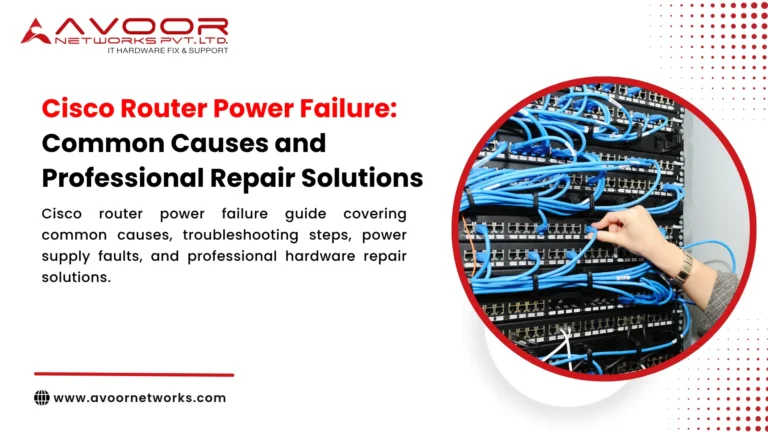
Unstable Network Connection in Your Office and Why It Is a Serious Problem
Unstable Network Connection in Your Office is one of the most common yet critical issues faced by businesses today. A slow or inconsistent network can disrupt workflows, reduce employee productivity, and negatively impact overall business performance.
In modern offices, almost every task depends on a stable network, including communication, data access, cloud applications, and customer interactions. When the network becomes unstable, it creates delays, frustration, and operational inefficiencies.
What Happens When You Have an Unstable Network Connection in Your Office
When an Unstable Network Connection in Your Office occurs, the effects are immediately noticeable.
Employees may experience slow internet speeds, frequent disconnections, and difficulty accessing systems. Applications may take longer to load, and video calls may lag or drop.
This leads to reduced efficiency, missed deadlines, and poor collaboration among teams. In customer-facing businesses, it can also affect service quality and customer satisfaction.
Common Causes of Unstable Network Connection in Your Office
Understanding the root causes of an Unstable Network Connection in Your Office is essential for effective troubleshooting.
Poor network configuration is a major cause. Incorrect settings can lead to inconsistent performance and connectivity issues.
Outdated or faulty hardware, such as switches, routers, or cables, can also create instability. As devices age, their performance declines, leading to frequent disruptions.
Bandwidth overload is another common issue. When too many users or devices are connected, the network struggles to handle the load.
Lack of proper monitoring means problems go unnoticed until they become severe. Environmental factors such as interference and poor cabling can also impact network stability.
7 Powerful Fixes for Unstable Network Connection in Your Office
1. Check Network Configuration
Start by reviewing your network settings. Proper configuration ensures smooth communication between devices and reduces instability.
2. Upgrade Outdated Hardware
Using modern and reliable networking equipment improves performance. Replacing outdated devices can eliminate many connectivity issues.
3. Optimize Bandwidth Usage
Limit unnecessary applications and prioritize critical business traffic to reduce network congestion.
4. Inspect Cables and Physical Connections
Damaged or poor-quality cables can cause intermittent connectivity. Ensure all connections are secure and functioning properly.
5. Implement Network Monitoring Tools
Monitoring tools help identify performance issues early, allowing quick resolution before they escalate.
6. Reduce Network Interference
Wireless networks can be affected by interference from other devices. Optimizing placement and channels improves stability.
7. Get Expert Network Support
If the issue persists, professional troubleshooting is essential. Experts can identify root causes and provide long-term solutions.
Business Impact of Unstable Network Connection in Your Office
The impact of an Unstable Network Connection in Your Office goes beyond inconvenience.
Productivity decreases as employees struggle with slow or unreliable connectivity. Tasks take longer to complete, and collaboration becomes difficult.
Customer experience is also affected. Delays in response or service disruptions can lead to dissatisfaction and loss of trust.
In addition, businesses may face financial losses due to reduced efficiency and missed opportunities. This makes it crucial to address network issues promptly.
How to Prevent Unstable Network Connection in Your Office
Preventing an Unstable Network Connection in Your Office requires a proactive approach.
Regular maintenance ensures that all network components are functioning properly. Monitoring network performance helps detect issues early.
Investing in high-quality or certified refurbished networking equipment improves reliability. Proper network design and configuration also play a key role in stability.
Implementing backup solutions ensures continuity in case of failure. Having expert support available ensures quick resolution of any issues.
Why Avoor Networks Pvt Ltd is the Right Partner
Avoor Networks Pvt Ltd provides expert solutions to resolve Unstable Network Connection in Your Office and ensure smooth business operations.
With over 26 years of experience, the company specializes in troubleshooting, repair, and maintenance of networking equipment. Their chip-level repair capability helps businesses save costs while restoring performance.
They offer PAN India service support and handle all major networking brands. Whether it is fixing network issues, upgrading infrastructure, or providing refurbished equipment, Avoor Networks Pvt Ltd delivers reliable and efficient solutions.
Conclusion
Unstable Network Connection in Your Office is a critical issue that can affect productivity, customer satisfaction, and business performance.
By identifying the root causes and applying the right solutions, businesses can improve network stability and efficiency. Preventive measures and expert support are essential for long-term success.
Partnering with Avoor Networks Pvt Ltd ensures a stable, high-performance network that supports your business growth without interruptions.