Introduction
Modern businesses depend on reliable network infrastructure for almost every critical operation. From cloud applications and email to VoIP, ERP systems, cybersecurity, data transfer, and customer-facing services, business operations can quickly come to a standstill when network hardware fails.
Routers, switches, firewalls, servers, power supplies, and network interface modules are built for continuous operation, but no hardware lasts forever. Component aging, overheating, electrical problems, physical damage, and inadequate maintenance can eventually lead to failures.
Understanding the most common network hardware faults helps IT managers identify problems early and take preventive action before they result in costly business downtime.network hardware faults.
At Avoor Networks Pvt Ltd, we provide enterprise network hardware repair, chip-level PCB repair, preventive maintenance, AMC and CAMC services, EOL hardware support, spare-part support, and multi-brand repair services across India.
Here are the top 10 network hardware faults that can disrupt business operations.
1. Power Supply Failure
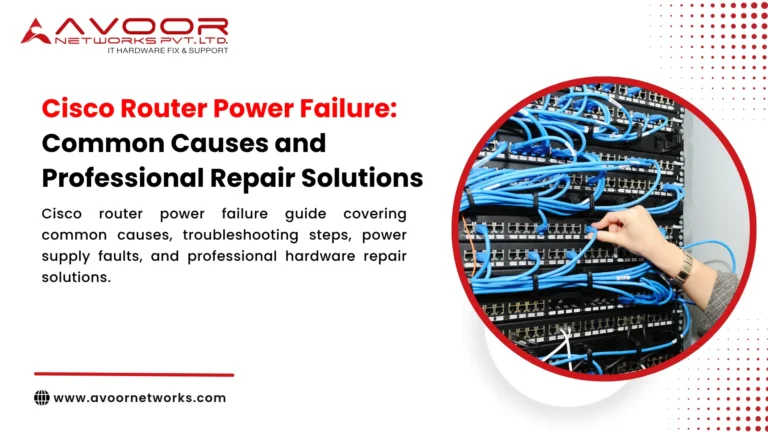
Power supply problems are among the most serious network hardware faults because they can shut down an entire device.
Common causes include:
- Voltage fluctuations
- Electrical surges
- Overheating
- Failed capacitors
- MOSFET failure
- Aging components
- Cooling fan failure
- network hardware faults
- network hardware faults
A failed power supply can cause sudden shutdowns, repeated reboots, or complete loss of functionality.
For equipment with redundant PSUs, one failure may not immediately cause downtime, but it should still be repaired quickly because redundancy has been reduced.
2. Network Port Failure
Network ports are constantly exposed to physical connections, electrical activity, and network traffic.
A damaged port may cause:
- No link
- Intermittent connectivity
- Packet loss
- Link flapping
- High error rates
- network hardware faults
Port failures can originate from damaged connectors, PHY components, PCB circuits, or electrical events.
If only one or two ports are affected, professional hardware diagnostics can determine whether the issue is with the port circuitry or an external cable or transceiver.
3. Overheating and Cooling System Failure
Enterprise network devices generate significant heat during continuous operation.
Cooling problems can result from:
- Failed fans
- Dust accumulation
- Blocked air vents
- Poor rack airflow
- High ambient temperature
- Fan controller faults
Excessive heat can cause performance degradation, unexpected shutdowns, and accelerated component aging.
Regular temperature monitoring and preventive cleaning can significantly reduce thermal-related failures.
4. Motherboard or PCB Failure
The main PCB contains critical circuits responsible for processing, communication, power distribution, and device control.
PCB failures can involve:
- Burnt components
- Short circuits
- Damaged traces
- Corrosion
- Failed ICs
- Power regulation problems
Because the PCB is central to device operation, significant board failure can appear as a complete hardware outage.
However, a damaged motherboard does not automatically mean the entire device must be replaced. In some cases, chip-level PCB repair can restore the affected circuit.
5. Memory Failure
Enterprise routers, switches, servers, and other devices rely on memory for operating system functions and hardware processes.
Memory-related hardware faults can result in:
- Boot failures
- Unexpected restarts
- System crashes
- Error messages
- Unstable operation
If memory problems are suspected, IT teams should review system diagnostics and hardware logs before concluding that the motherboard itself has failed.
6. Fan and Cooling Component Failure
Cooling fans are mechanical components that wear over time.
Warning signs include:
- Unusual noise
- Reduced airflow
- Fan alarms
- Increased temperature
- Fan stopping unexpectedly
A failed fan can create a secondary hardware problem if excessive heat damages other components.
Replacing a failed fan early is generally much less disruptive than repairing heat-damaged electronics.
7. PoE Circuit Failure
Power over Ethernet (PoE) switches provide both network connectivity and electrical power to connected devices.
A PoE failure can affect:
- IP phones
- Wireless access points
- IP cameras
- IoT devices
- Other powered network endpoints
If only PoE ports are affected while standard data connectivity continues, the problem may involve the PoE power circuitry rather than the switch’s primary network functions.
Professional diagnostics can identify the defective power circuit or component.
8. Interface Module or Transceiver Failure
Modular enterprise equipment often uses removable network modules and transceivers.
Failures may occur because of:
- Component degradation
- Overheating
- Physical damage
- Incompatible modules
- Electrical faults
- Fiber connection problems
A defective module can interrupt an uplink or high-speed connection and potentially affect multiple downstream systems.
Keeping tested spare modules available can reduce recovery time.
9. Storage or Boot Device Failure
Some enterprise network appliances, firewalls, servers, and storage systems depend on internal storage for operating systems, configurations, logs, or applications.
Storage failure may cause:
- Boot failure
- Corrupted system files
- Repeated restarts
- Slow operation
- Device becoming unavailable
Before replacing hardware, IT teams should determine whether the problem is caused by the storage device, software corruption, controller circuitry, or another hardware component.
10. Power Regulation and Voltage Circuit Failure
Even when the external power supply is functioning correctly, internal voltage regulation circuits can fail.
These circuits distribute stable power to sensitive components across the PCB.
Failures involving:
- Voltage regulators
- Power management ICs
- MOSFETs
- Capacitors
- DC-DC converters
can cause unstable operation or complete device failure.
These are situations where component-level diagnostics can be particularly valuable.
How Network Hardware Faults Cause Business Downtime
A single failed network component can have consequences beyond the physical device.
For example, failure of a core switch may disconnect:
- Servers
- Workstations
- IP phones
- Wireless access points
- Security systems
- Storage systems
Similarly, a failed router can interrupt WAN or internet connectivity for an entire branch.
The financial impact can include:
- Lost employee productivity
- Interrupted customer service
- Delayed transactions
- Application downtime
- Missed business opportunities
- Emergency replacement expenses
The longer the hardware remains unavailable, the greater the potential impact.
Early Warning Signs to Watch
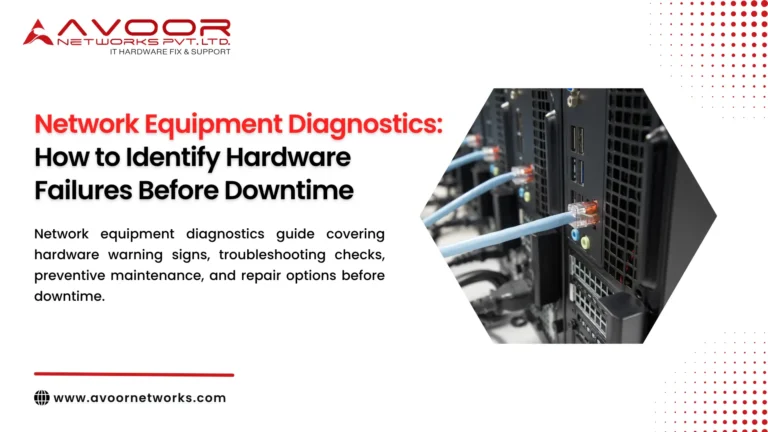
IT managers should monitor equipment for:
- Frequent reboots
- Increasing interface errors
- High temperatures
- PSU alarms
- Fan warnings
- Intermittent connectivity
- Boot problems
- Unusual noise
- Burning smells
- Repeated hardware alerts
Early detection allows businesses to investigate and repair developing problems before complete failure.
How Preventive Maintenance Reduces Hardware Failures
A structured preventive maintenance program can reduce the risk of unexpected network downtime.
Important activities include:
Regular Hardware Inspection
Check equipment for physical damage, dust, corrosion, loose connections, and abnormal conditions.
Temperature Monitoring
Track equipment temperatures and investigate repeated thermal warnings.
Power Monitoring
Inspect UPS systems, PDUs, power supplies, and electrical infrastructure.
Interface Testing
Monitor port errors, link stability, packet drops, and interface health.
Fan Inspection
Check cooling fans for abnormal noise, reduced speed, or failure alerts.
Spare-Part Planning
Maintain critical spare components such as PSUs, fans, transceivers, and modules where appropriate.
Lifecycle Management
Track hardware age, manufacturer support status, spare availability, and security lifecycle.
Chip-Level Repair vs Complete Hardware Replacement
Not every hardware fault requires complete equipment replacement.
When a fault is isolated to a specific component, chip-level repair may restore the original board.
Potential component-level repairs include:
- IC replacement
- MOSFET replacement
- Capacitor replacement
- Voltage regulator repair
- Power circuit repair
- PCB trace restoration
- Port circuit repair
- Connector replacement
This approach can be particularly useful for expensive or discontinued enterprise equipment where replacement boards are difficult to obtain.
However, repair should only be performed after professional diagnosis. Equipment that is obsolete, repeatedly failing, unsupported from a security perspective, or no longer meeting business requirements may be better replaced.
What IT Managers Should Do When a Fault Occurs
When a critical device fails:
- Identify the affected equipment.
- Check power and physical connections.
- Review hardware alarms and logs.
- Check temperature and cooling.
- Determine whether redundancy is available.
- Avoid unnecessary configuration changes.
- Document the symptoms.
- Contact a qualified hardware repair specialist.
- Evaluate repair versus replacement.
- Test the equipment thoroughly before production use.
Having a documented hardware incident procedure can significantly improve recovery time.
Why Choose Avoor Networks Pvt Ltd?
Avoor Networks Pvt Ltd provides multi-brand enterprise network hardware repair and maintenance services with 26+ years of industry experience.
Our services include:
- Router Repair
- Switch Repair
- Firewall Repair
- Server Hardware Repair
- Storage Hardware Repair
- Chip-Level PCB Repair
- Power Supply Repair
- PoE Circuit Repair
- Multi-Brand Hardware Repair
- EOL and Legacy Hardware Support
- Network Hardware Spare Parts Support
- AMC and CAMC Services
- Refurbished Network Equipment
- Rental and Leasing Solutions
- PAN-India Pickup and Delivery
We support enterprise equipment from Cisco, Juniper, HPE, Dell, Fortinet, Aruba, Palo Alto Networks, Extreme Networks, IBM, NetApp, Avaya, Netgear, and other major brands.
Our approach combines detailed fault diagnosis, component-level repair where technically appropriate, spare-part support, and comprehensive testing to help organizations minimize unnecessary replacement and network downtime.
Conclusion
Network hardware faults can quickly become business-critical problems when they affect core routers, switches, firewalls, servers, or other essential infrastructure.
Power supply failures, port problems, overheating, PCB faults, memory issues, cooling failures, PoE problems, interface failures, storage faults, and voltage regulation problems are among the most common causes of network hardware downtime.
The best defense is a combination of proactive monitoring, preventive maintenance, appropriate spare inventory, professional diagnostics, and a clear repair-or-replace strategy.
By identifying warning signs early and working with an experienced network hardware repair partner, businesses can reduce downtime, control maintenance costs, and extend the useful life of valuable IT infrastructure.